ZIVOHR
The HR system
you can just ask.
People, attendance, leave, payroll, hiring and performance on one record. Ziva answers people's HR questions from their own record, and prepares the request instead of pointing at a form.
LIVE AT ZIVOHR.COM
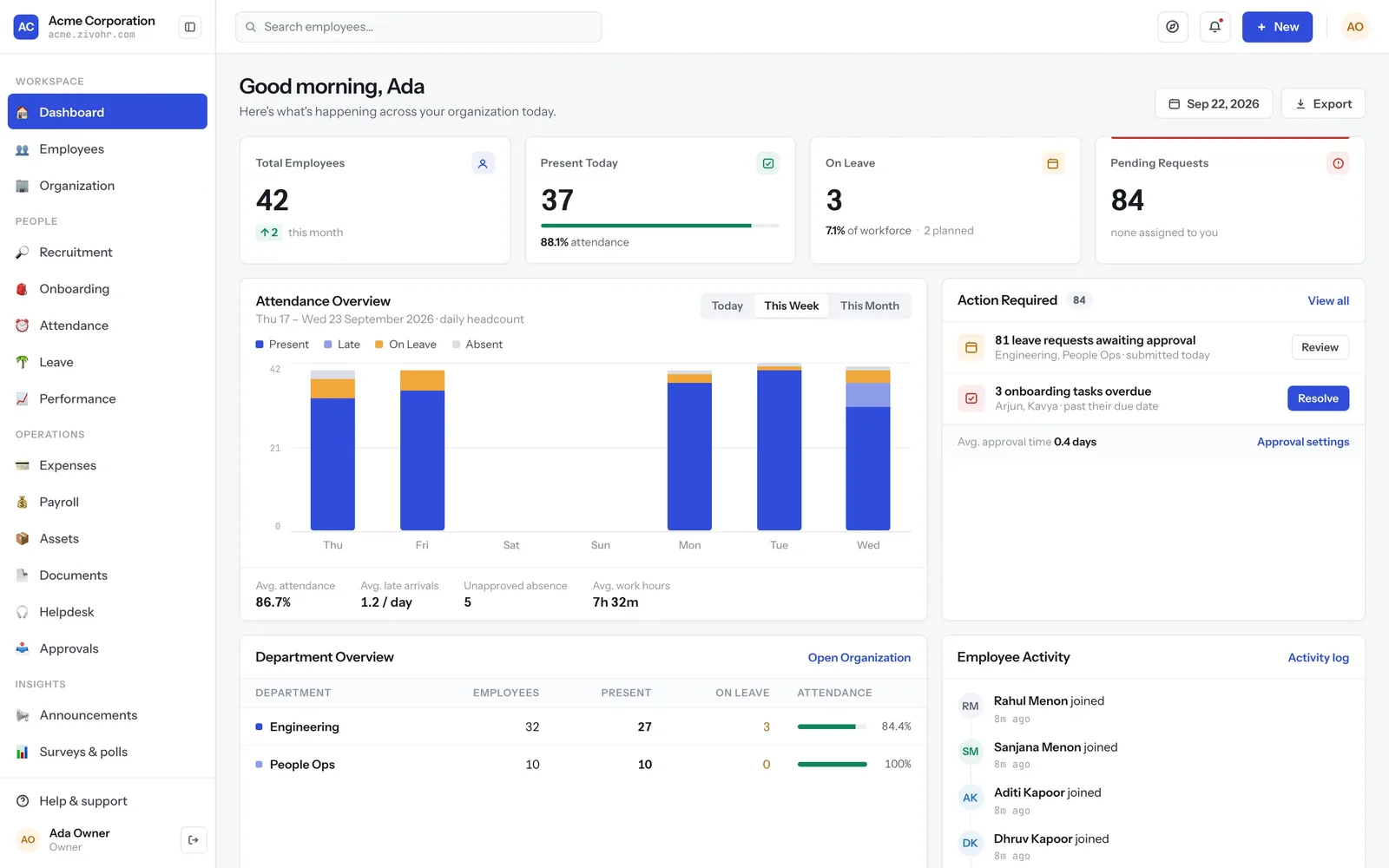
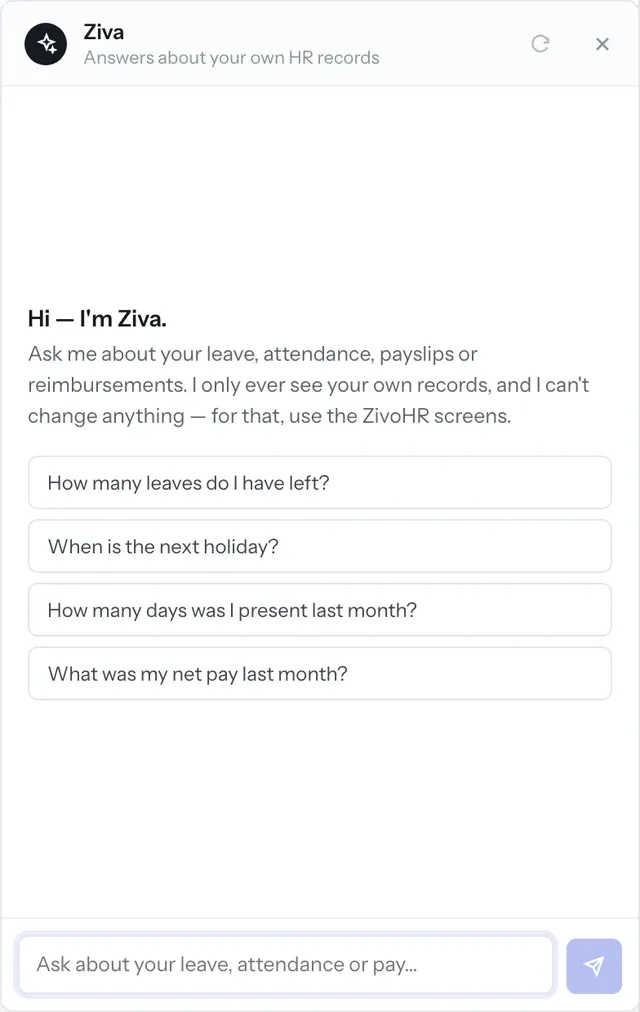
REAL SCREENS FROM ZIVOHR DEMO DATA — NAMES AND FIGURES ARE GENERATED
Modules on one record. The hire becomes the employee, and attendance feeds payroll.
Payroll countries: India, the UAE and the US, each with its own rules and filings.
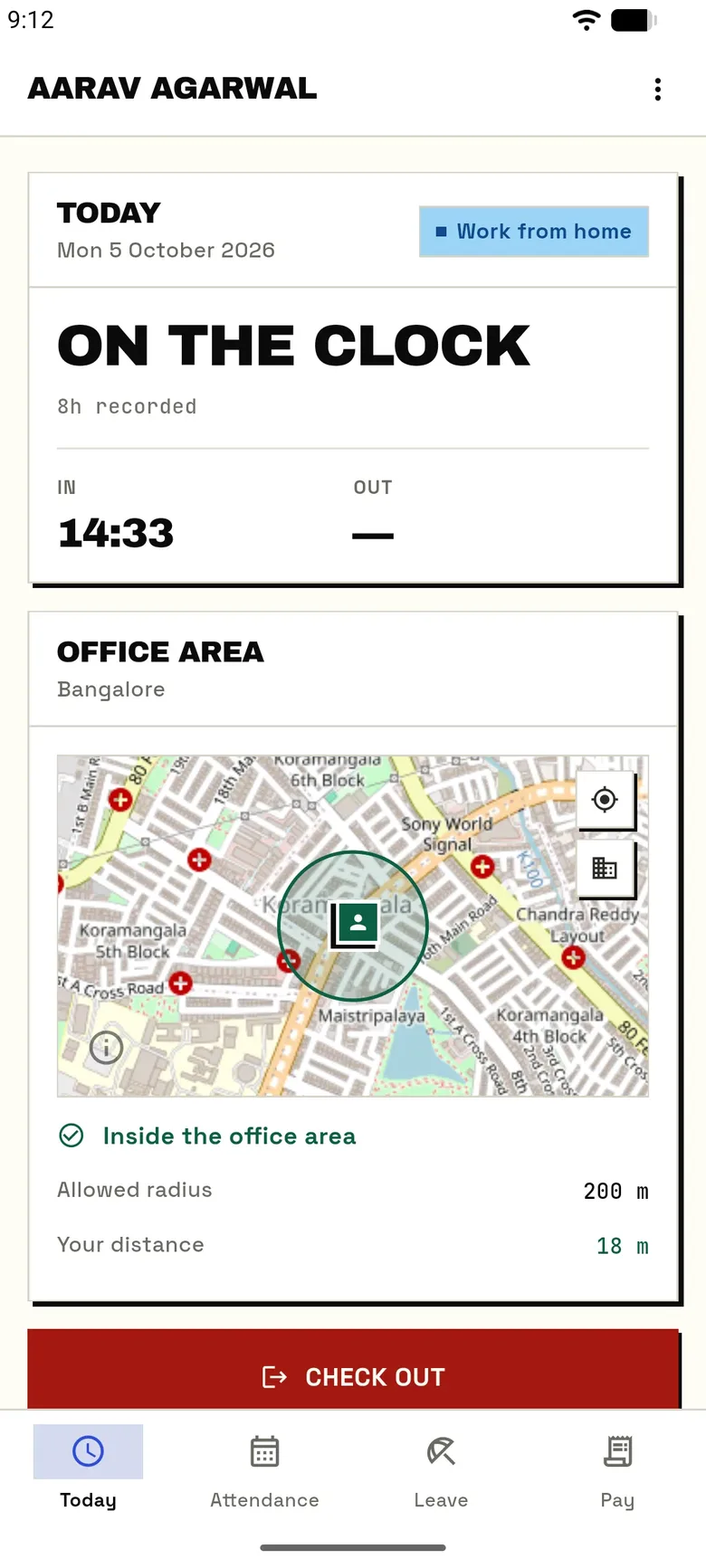
Punch sources, one timeline: biometric device, phone, browser and regularisation.
Spreadsheets in the payroll run. Loss of pay and overtime come from the timeline.
HR, BEFORE
The answer existed. It was four screens deep.
BEFORE
"How much leave do I have left?" is an e-mail to HR.
Attendance is exported, cleaned and pasted into the payroll sheet.
The night shift shows up as two half-days, and someone fixes it by hand.
The new hire's details are typed in again on their first day.
WITH ZIVOHR
Ziva answers from the asker's own record, with the same figures the screens show.
Payroll reads loss of pay and overtime straight from the attendance timeline.
A shift that crosses midnight is one record, belonging to the day it started.
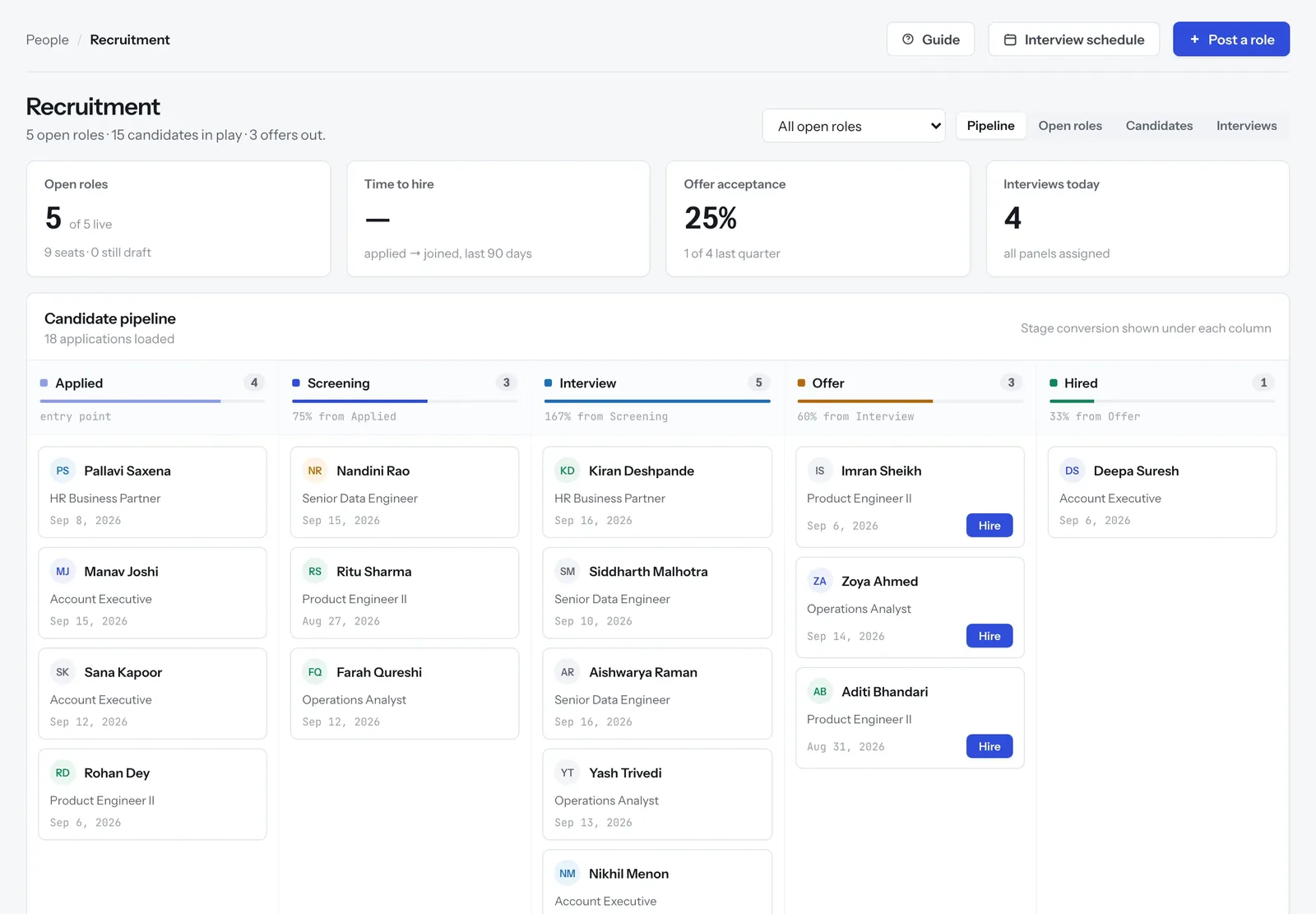
The accepted offer becomes the employee record. Nobody retypes it.
01 — ZIVA, THE AI LAYER
The questions people used to e-mail HR.
How much leave is left, why the payslip moved, whether a cab needs a receipt. Ziva answers from the asker's own record. Ask it to put in leave and it prepares the request. You press Confirm. The model never writes anything itself.
- 01 Grounded in your workspace Your leave policy, your holiday calendar, your payslips and your expense policy. If the workspace has no rule for a question, Ziva says so rather than guessing.
- 02 Scoped to the person asking Every tool reads the asker's own record and nothing else. Ask about a colleague's salary and it tells you it can't see it.
- 03 It proposes, you confirm A proposal can't be edited, can only be confirmed once, expires in 15 minutes, and every leave or expense rule is checked again when you confirm.
- 04 Off means off Ziva is a feature on the workspace's plan. Switch it off and the launcher goes with it.
02 — PAYROLL
The run is a function, not a spreadsheet.
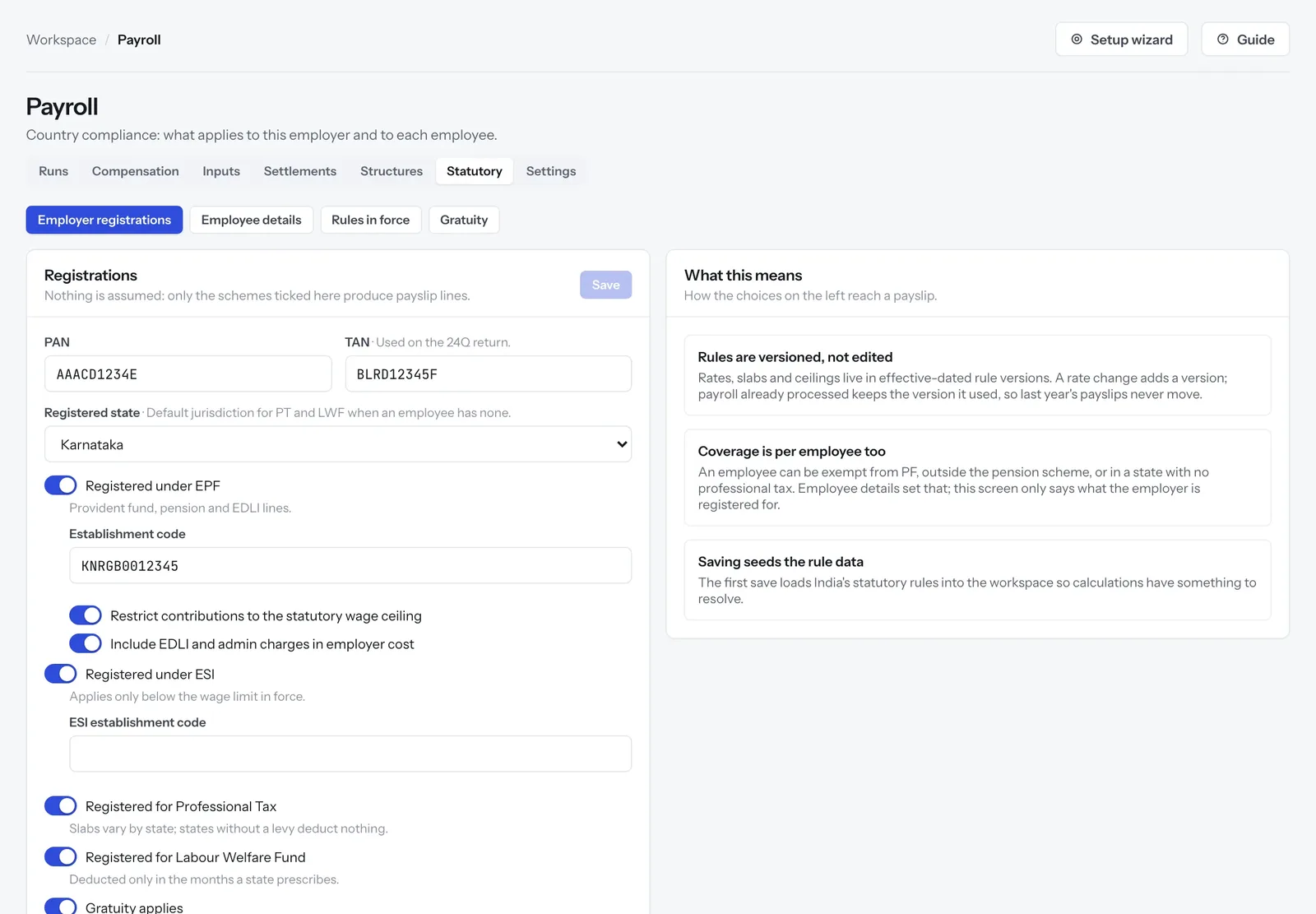
One engine, and each country plugs in its own rules, filings and currency. Every input is explicit, every run can be recalculated before approval, and a rule change applies from the date it applies from.
- 01 India, the UAE and the US PF, ESI, TDS, PT and gratuity in India. WPS and end-of-service in the UAE. FICA, state income tax and W-2s in the US.
- 02 Variance before you approve See who moved against the last run and why: joiners prorated, an increment mid-cycle, someone crossing the PF wage ceiling.
- 03 Rules carry effective dates A rate change adds a version. Payroll already processed keeps the version it used, so last year's payslips never move.
- 04 Incentives and full & final Payouts priced from KPI achievement, and a leaver's settlement that can't be approved while their exit clearance is still open.
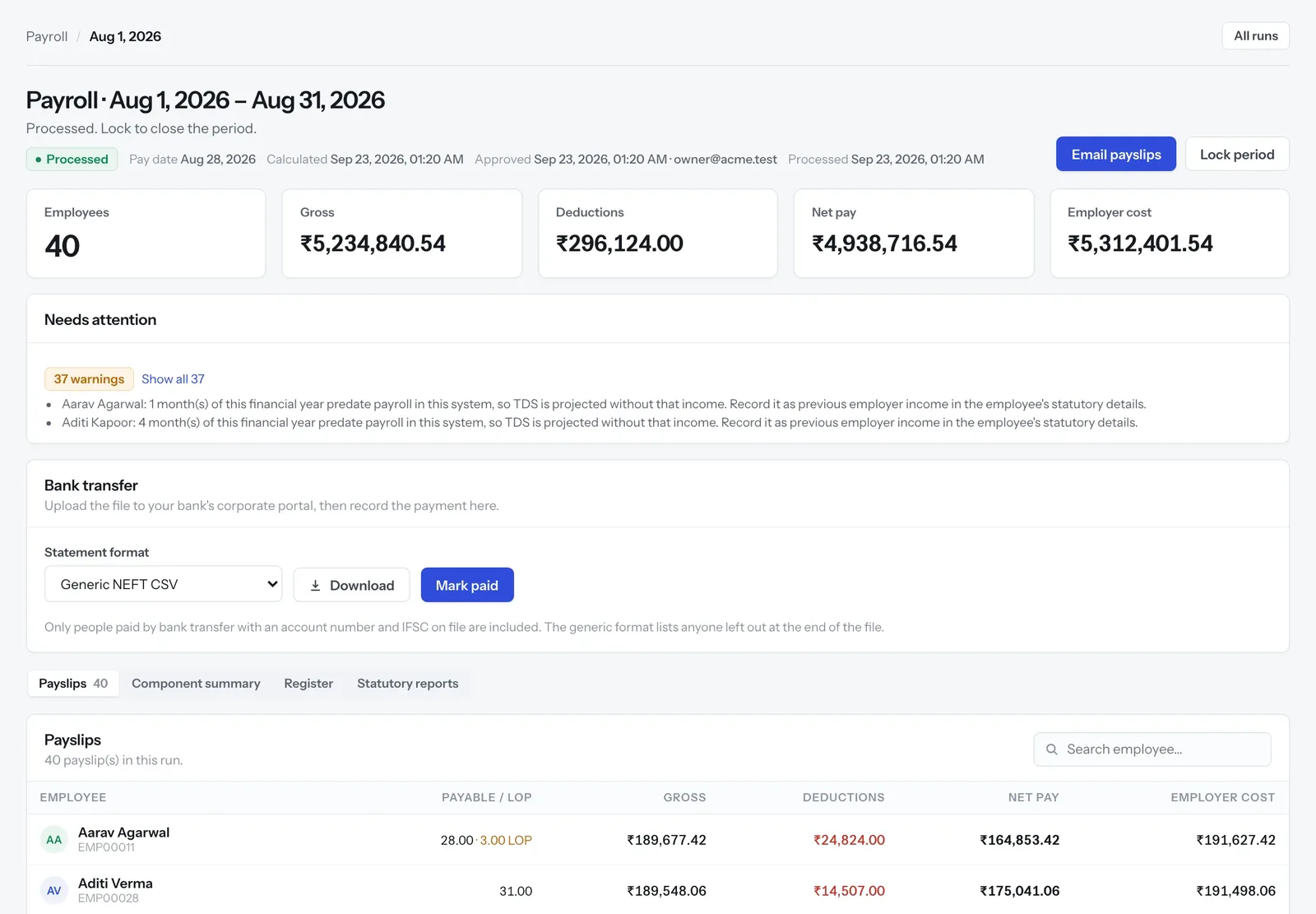
PAYROLL RUN · STATUTORY SETTINGS DEMO DATA
03 — ATTENDANCE & LEAVE
Four punch sources. One timeline.
HR VIEW · EMPLOYEE'S PHONE DEMO DATA
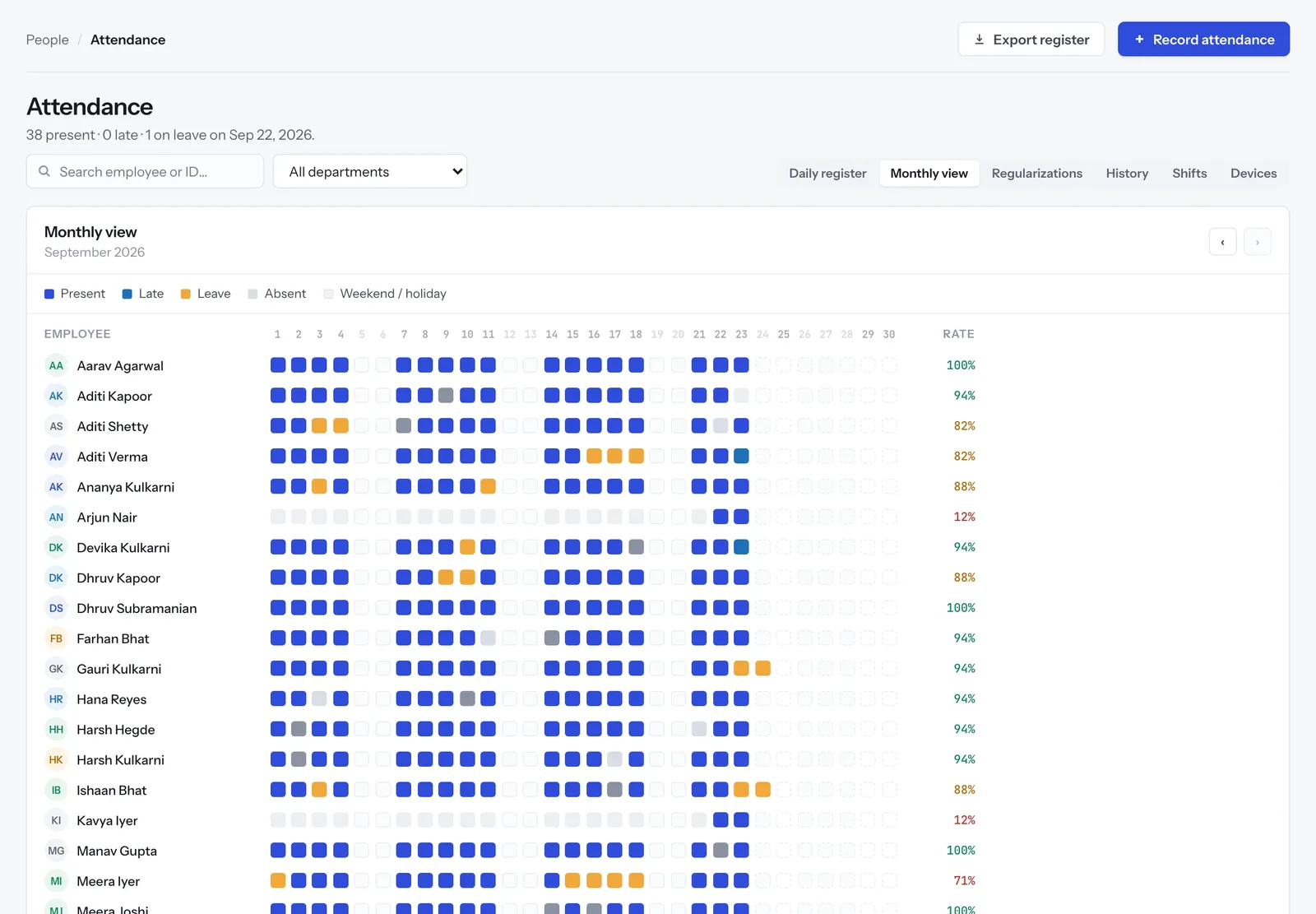
A factory uses a device, a field team uses the phone, head office uses a browser, and someone always forgets. All four land on one timeline, on the clock of the office they happened in, and payroll reads that timeline.
- 01 Biometric, phone, web eSSL and ZKTeco readers push punches as they happen. The app checks in against the office's geofence, 200 m unless you draw it otherwise.
- 02 Night shifts that cross midnight A 21:00 to 05:30 shift is one record belonging to its start date, not two half-days that each look like an absence.
- 03 Leave that accrues and approves itself Accrual, carry-forward, encashment and holiday calendars per location, on the same approval engine as everything else.
- 04 A missed punch is a request Regularisation goes to an approver with a reason, and the correction stays visible as a correction.
04 — HIRING & PERFORMANCE
Requisition to review. On the same record.
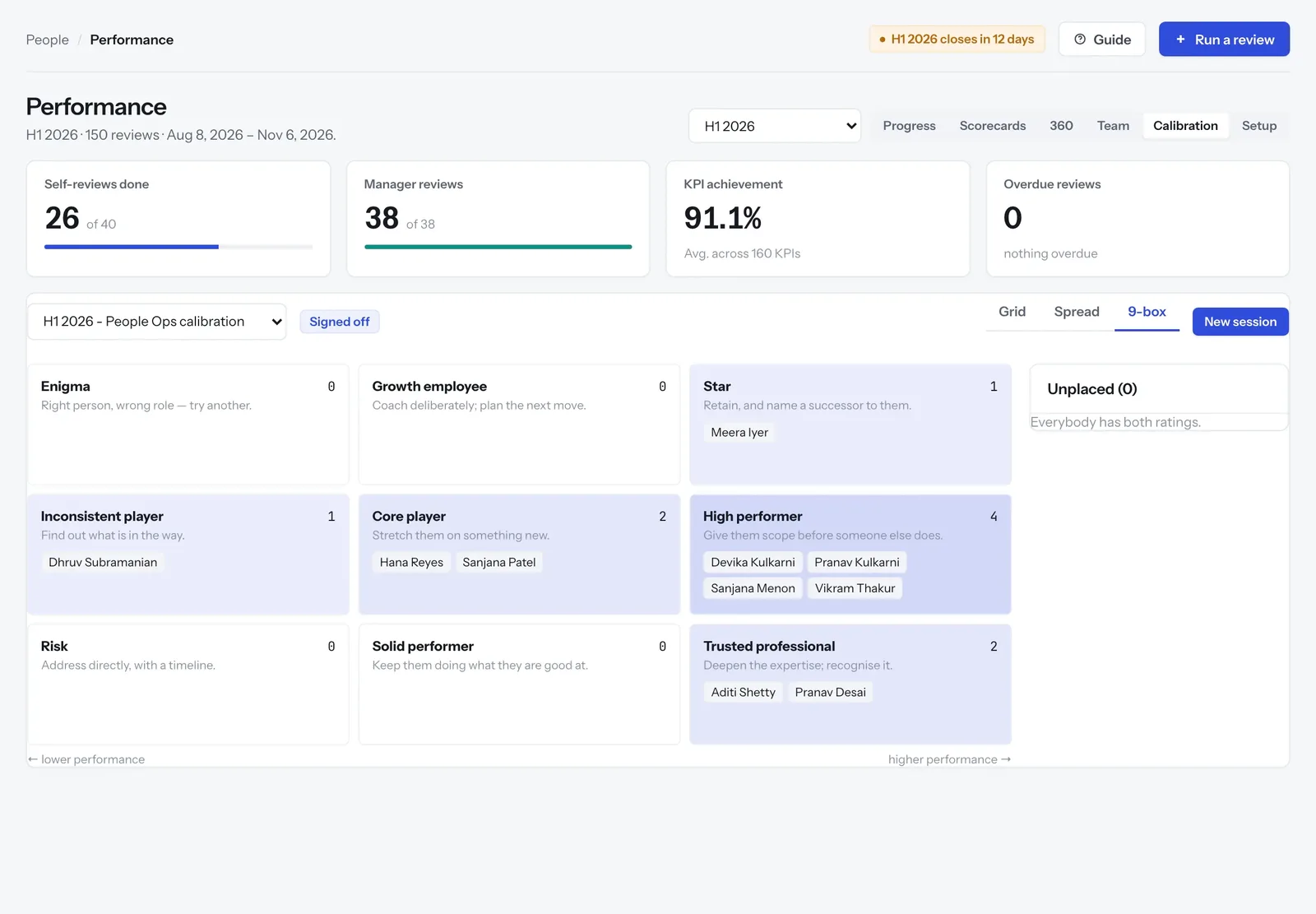
Jobs, candidates, interviews and offers in one pipeline, and the hire becomes an employee without anyone retyping them. Then weighted KRA scorecards, anonymous 360 reviews, and calibration that locks when it's signed off.
CANDIDATE PIPELINEDEMO DATA
NINE-BOX CALIBRATIONDEMO DATA
05 — THE REST OF HR
Joining to exit. One system.
SEE IT ON YOUR POLICIES
Thirty minutes. Your edge cases, live.
We'll run ZivoHR against your leave policy, your shifts and your payroll structure, and show you the month-end it would take off HR's desk.