ARC FREIGHT
One shipment.
One truth.
Quote air and sea, invoice the job and track the cargo in one system. Your desk sees every figure and every waybill, and your customer stops calling to ask where it is.
REAL SCREENS FROM ARC FREIGHT DEMO DATA — NAMES AND FIGURES ARE GENERATED
Priced per kilo against a flight, and per container against a sailing. Neither bent to fit the other.
Airports and seaports loaded on day one, by IATA code and UN/LOCODE.
Each figure is typed once. The quote becomes the proforma, then the tax invoice.
Prices on the tracking link, so your customer can forward it to their consignee.
THE DESK, BEFORE
Nobody lost the cargo. They lost track of it.
BEFORE
Rates live in a spreadsheet, a mailbox and one person's memory.
A PDF quote goes out, and the reply turns up three threads later.
The accepted quote gets retyped into an invoice, then again into the books.
"Where's my shipment?" is a phone call, and someone has to check the carrier's site.
WITH ARC FREIGHT
Every rate you've quoted is on screen while you quote.
The customer opens a link, compares carriers and accepts. The quote updates itself.
The proforma and tax invoice are raised from the quote in a click.
The customer gets a tracking link and hears from you when the cargo moves.
01 — VISIBILITY
See the whole desk. Not just your inbox.
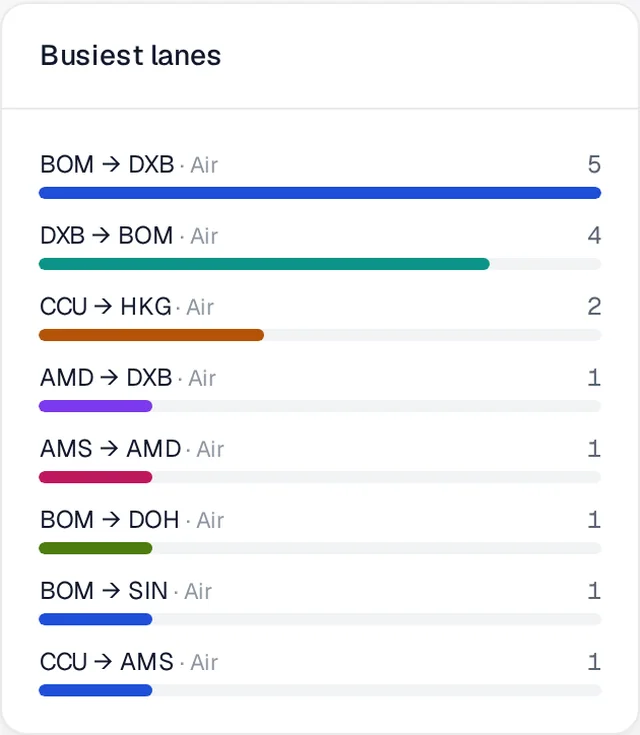
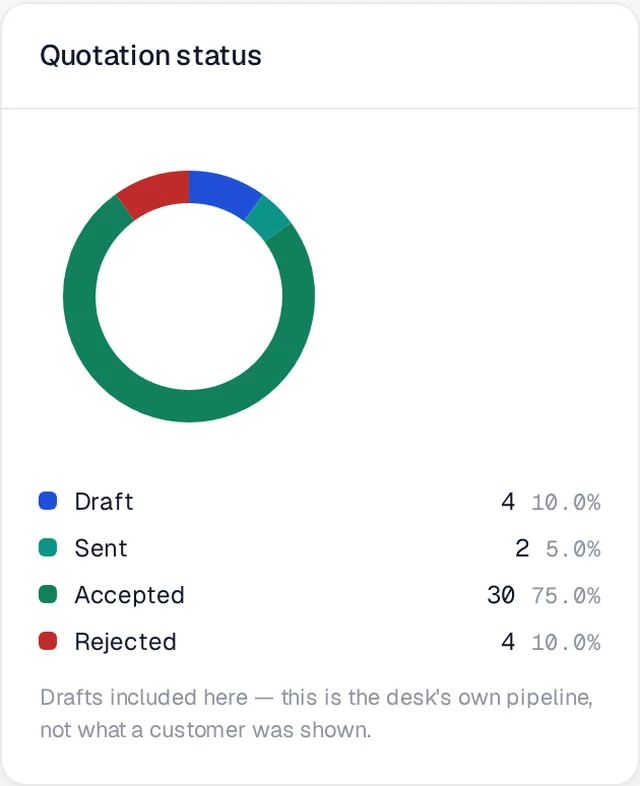
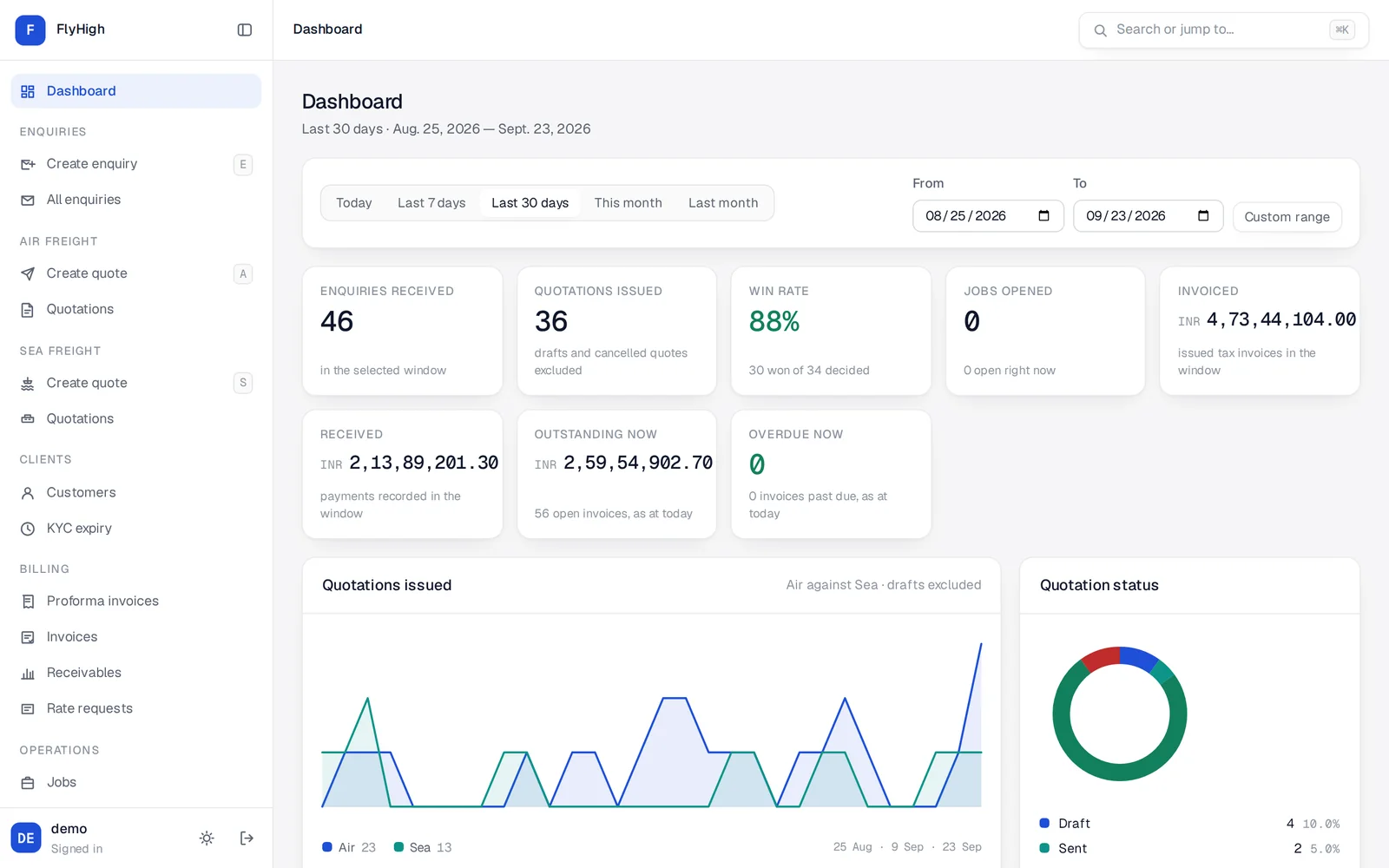
Enquiries, quotes, invoices, payments and waybills all land in one place. Pick a date range and every number on the dashboard answers for that window, from one set of queries, in a link you can send to your partner.
- 01 Win rate, pipeline and cash in one view Enquiries received, quotes issued, win rate, invoiced, received, outstanding and overdue, above charts of air against sea and invoiced against received.
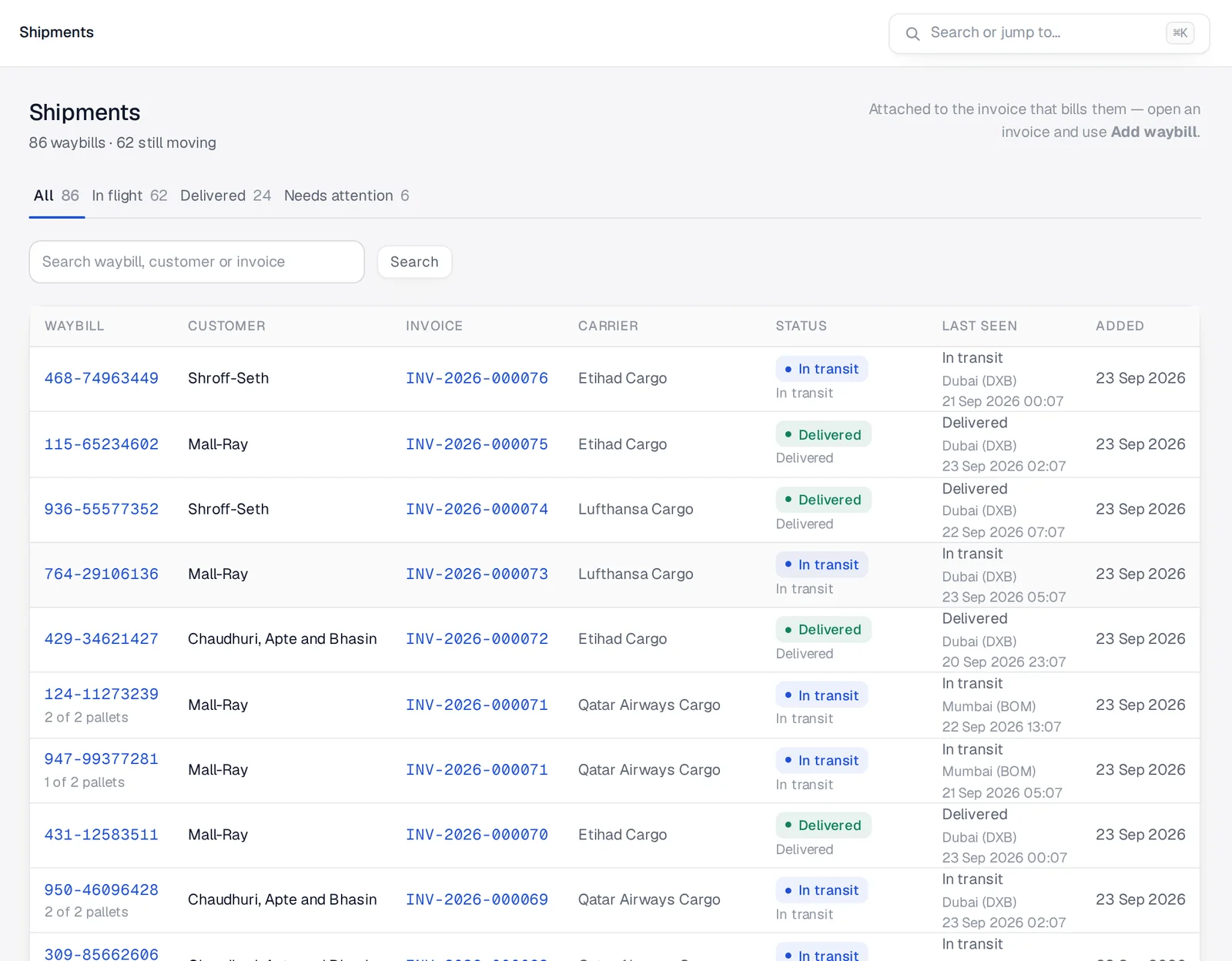
- 02 Every waybill, across every invoice In flight, delivered and needs attention, each in its own tab. A customs hold shows up in red before the customer phones.
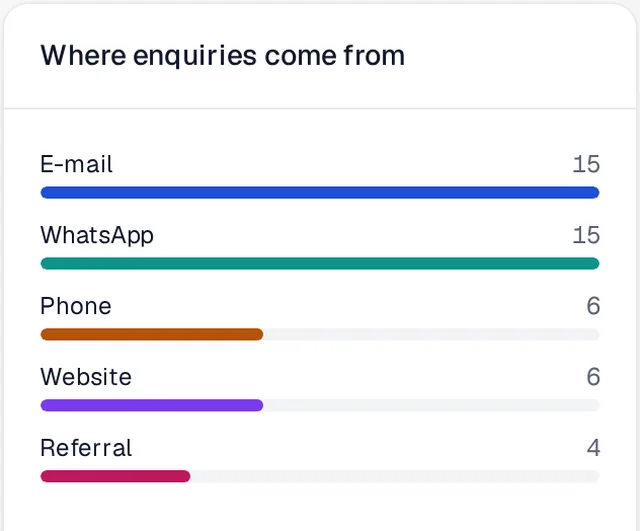
- 03 Where the work comes from Your busiest lanes, and whether enquiries arrive by e-mail, WhatsApp, phone or your website.
- 04 Numbers you can trust INR and USD are never added together. Draft and cancelled quotes don't count. A win rate with nothing decided shows a dash, not 0%.
02 — TRACKING
Cargo that reports in. So your team doesn't have to.
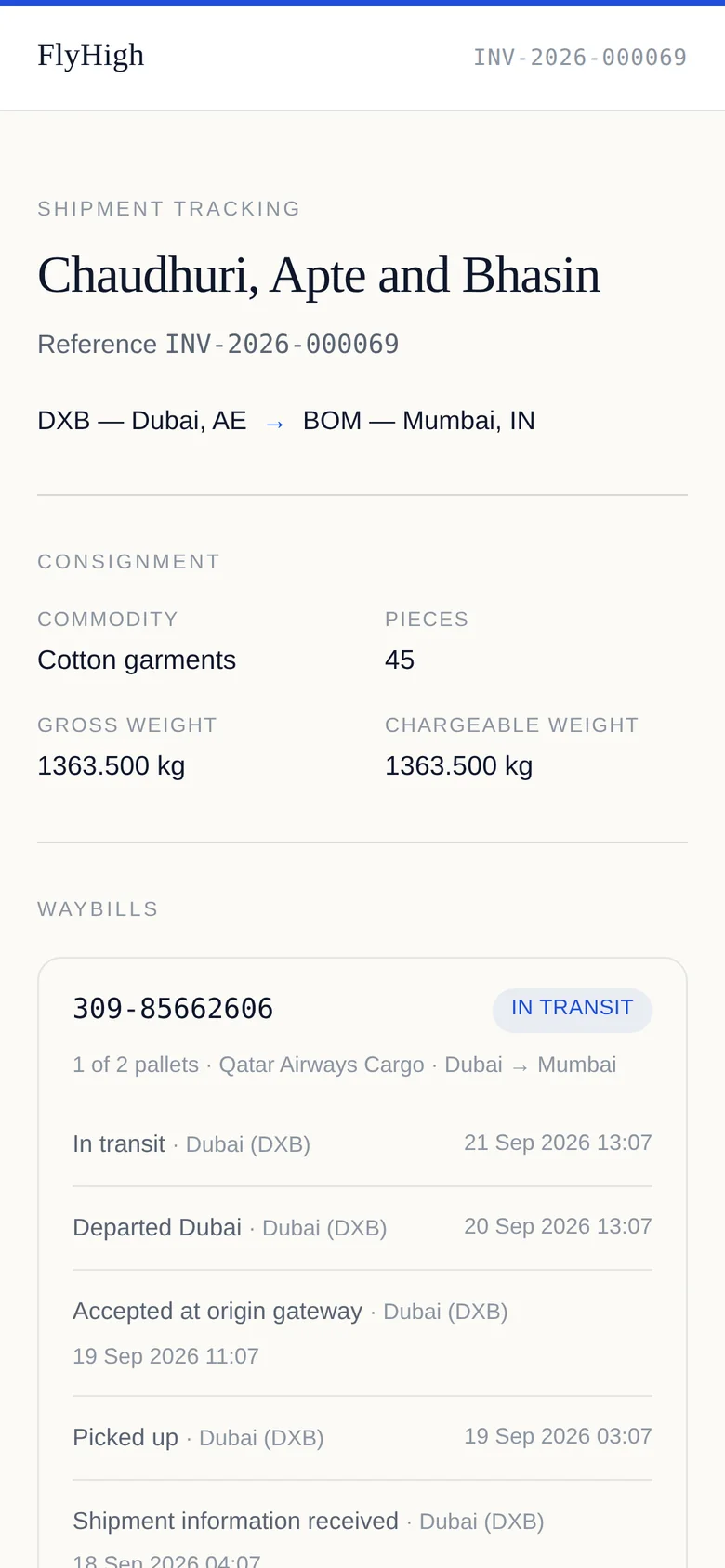
Add the air waybill, container number or bill of lading to the invoice. Arc Freight follows it with the carrier and tells your customer when something actually happens.
- 01 AWB, container or B/L, in one field Split a consignment across two waybills and it stays one invoice. Each waybill keeps its full carrier history, checkpoint by checkpoint.
- 02 Updates arrive on their own Carrier events arrive through a signed webhook, and Arc Freight polls as a fallback, so a quiet page really means nothing has moved.
- 03 E-mails that are worth opening The customer gets a mail when the waybill is added, then only for out for delivery, delivered or an exception. A mail for every scan gets filtered.
- 04 A link your customer can forward The tracking page has no prices on it, so it can go to the consignee and the shipper without showing anyone your rates.
- 05 It never guesses "delivered" A carrier status Arc Freight doesn't recognise stays unknown. It won't be rounded to the nearest good news.
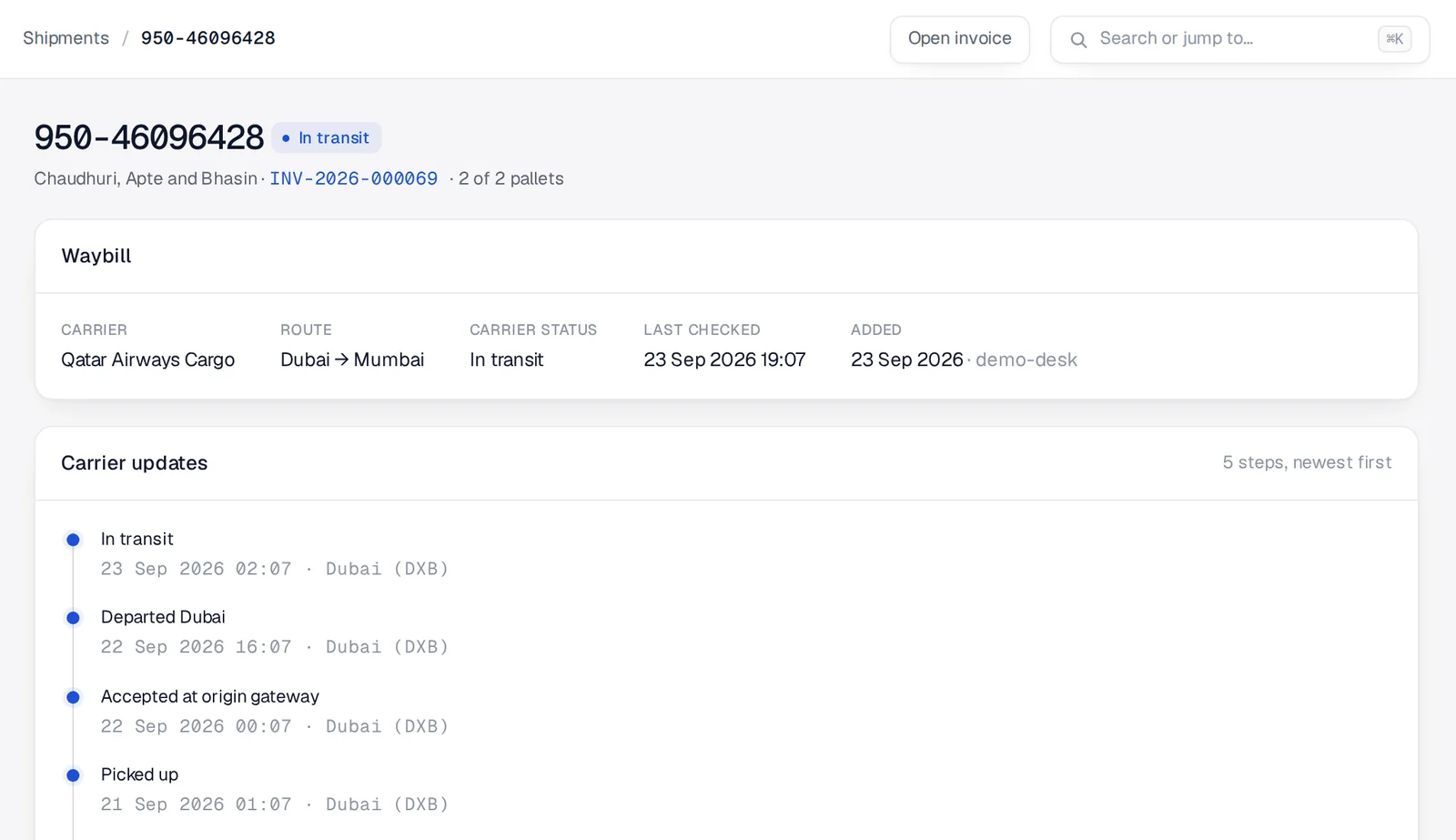
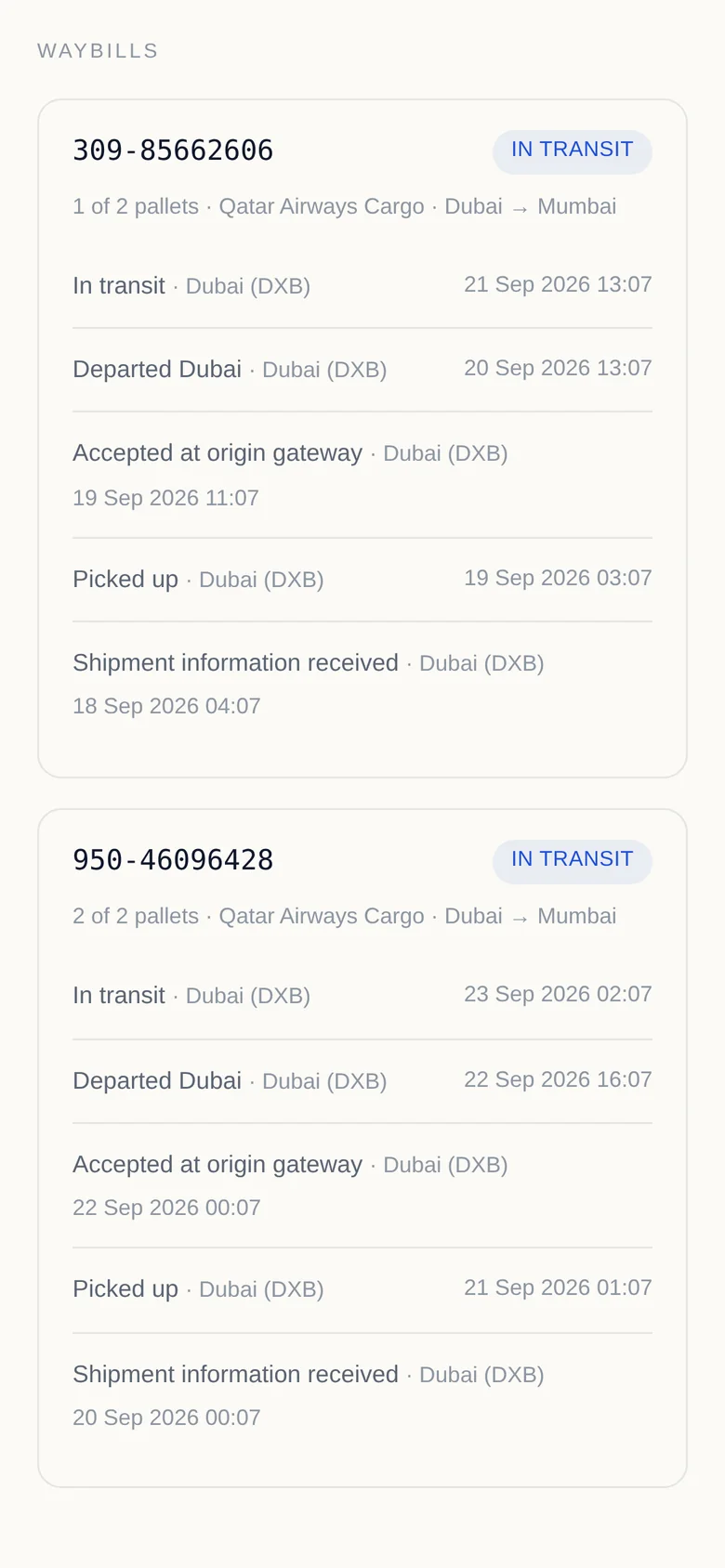
DESK VIEW · CUSTOMER VIEW DEMO DATA
03 — INTELLIGENCE
Quote with your own history open.
Pick the client and the lane, and the Intelligence panel shows everything you've quoted before: what you won, what you lost, and at what rate. Before you send a number, you know if it's high.
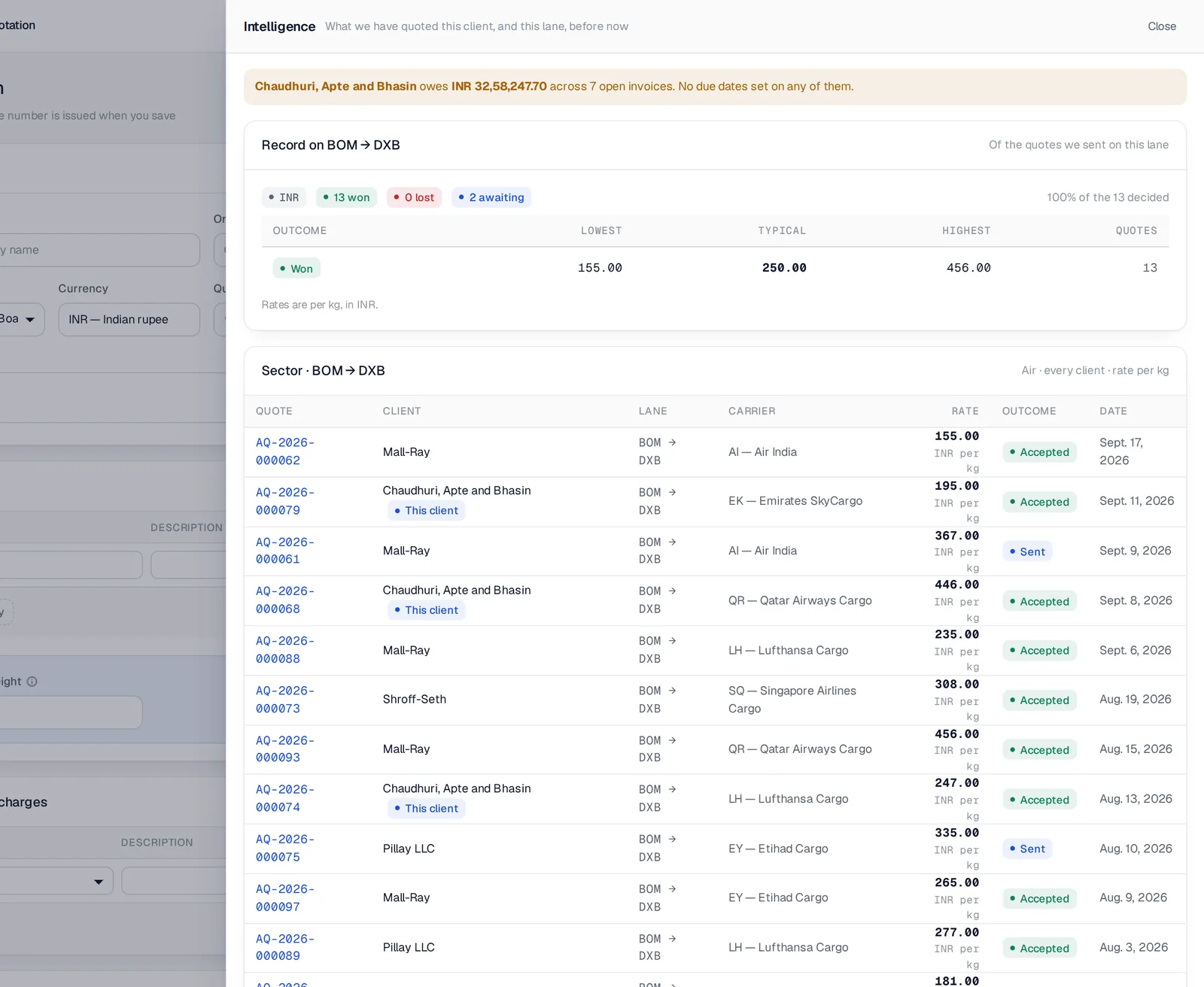
NEW AIR QUOTE · BOM → DXB · INTELLIGENCE OPEN DEMO DATA
Paste the enquiry. The quote fills in.
Paste a customer's e-mail into the quote builder. The lane, cargo, charges and carrier options fill in, and nothing is saved until your desk has checked it and clicked Save.
An agent that files enquiries.
An assistant reading your mailbox or WhatsApp logs each enquiry, matches it to the right client and lists what's still missing before a supplier can price it. It records what it was told and doesn't invent the rest.
Don't want AI? Turn it off.
One setting removes every AI feature. The controls, the screens and the endpoint disappear, and the rest of Arc Freight works exactly the same.
04 — CLIENT PORTAL
Your customer picks the carrier from their phone.
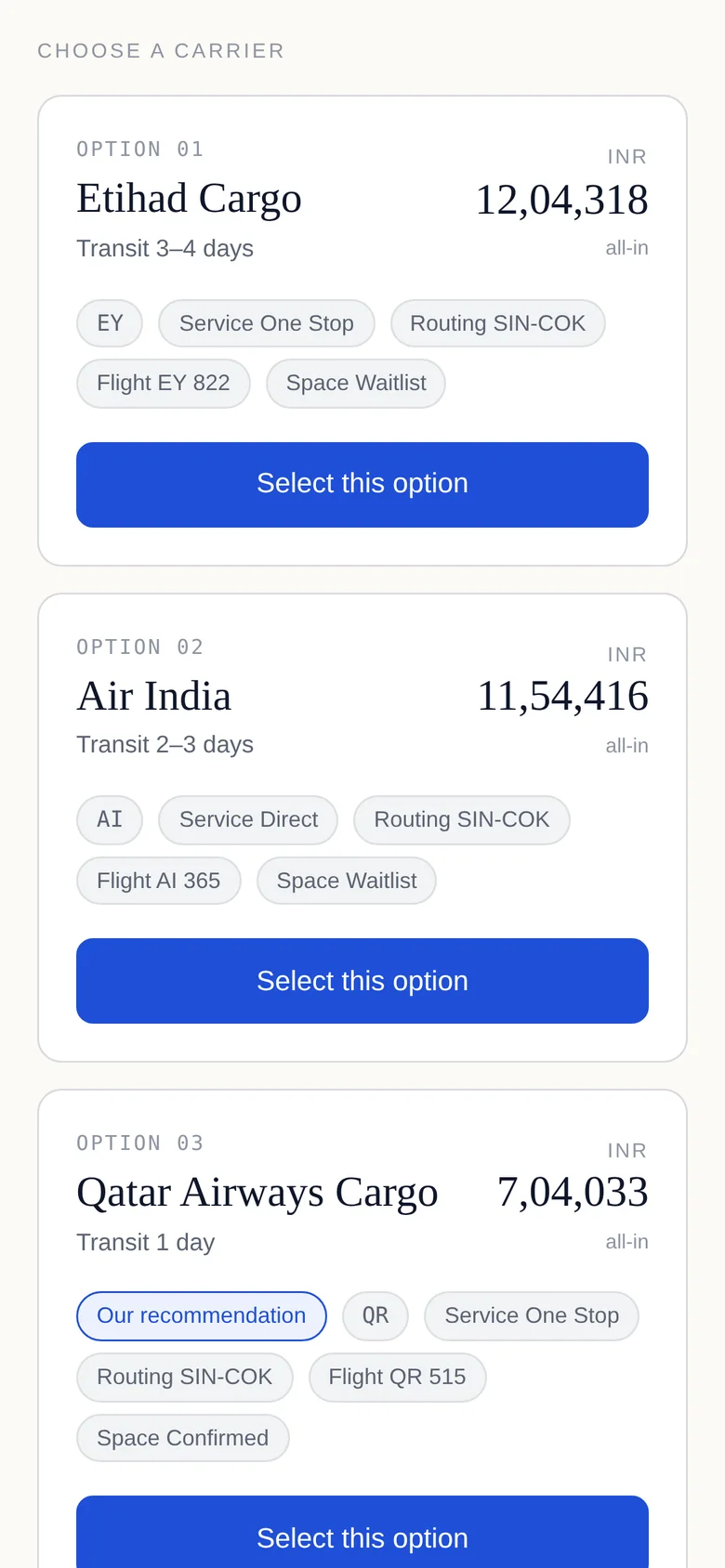
Send the quote and your customer gets a link, not a PDF to dig out of their inbox. No login and no app. They compare the options, accept one or decline with a reason, and the quote updates on your side straight away.
- 01 Carrier options side by side Transit time, routing, flight, space status and the all-in price, with your recommendation marked.
- 02 Accepted means locked The chosen carrier, time and IP address are recorded, and the quote can't be changed afterwards.
- 03 Then the paperwork, on the same link A proforma asking for the advance, an upload slot for each document you need, then the tax invoice with payments already received shown against it.
05 — THE REST OF THE DESK
Enquiry to receipt. One system.
SEE IT ON YOUR LANES
Thirty minutes. Your routes, live.
We'll run Arc Freight on the lanes you actually quote, the way your desk works today, and show you where it would save your team's afternoon.